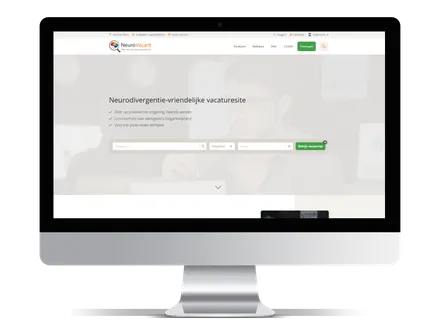
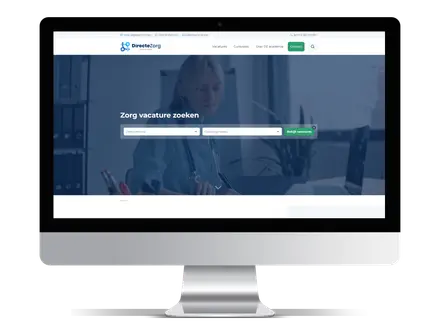
Definition: Job board software is a platform that helps organisations create and manage a vacancy website. It usually includes job listings, search filters, employer accounts, candidate profiles, applications, payments, SEO settings and analytics.
A good job board is more than a list of vacancies. It needs to help employers post jobs quickly, help candidates find and apply to the right roles, and help the owner manage content, users, billing and search visibility without writing code for every screen. Job board software is what makes all of that possible.
What is job board software?
Job board software is a platform used to create, manage and scale a vacancy website. It provides the building blocks of a job board out of the box: job listings, search and filters, employer accounts, candidate profiles, applications, payments and SEO tools.
Different kinds of organisations use it. Recruitment agencies and staffing agencies use job board software to publish their own vacancies and build a candidate database. Entrepreneurs launch niche job boards around a single industry or region. Associations and professional bodies run member-only job boards. Media companies add a careers section to monetise their audience. In every case, the software handles the heavy lifting so the team can focus on jobs and candidates.
In short: job board software is the system that turns a collection of vacancies into a searchable, manageable and findable website that employers, candidates and administrators all use.
Job board vs job board software vs ATS vs career site
These terms are often used as if they mean the same thing. They do not. Knowing the difference helps in choosing the right tool and avoiding the wrong one.
- Job board: the website itself, the public destination where vacancies are listed and candidates search and apply. Think of a general site or a niche board for one sector.
- Job board software: the underlying platform that powers a job board. It provides the listings, search, accounts, payments and SEO features so they do not have to be built from scratch.
- Job site: a broad, everyday term for any website where jobs are posted and found. In practice it usually means the same as a job board.
- Career site: a single employer's own jobs page, showing only that company's vacancies. A career site promotes one brand, while a job board hosts vacancies from many employers.
- Applicant Tracking System (ATS): internal software a single employer or recruiter uses to manage applicants through stages: new, screening, interview, offer, hired. An ATS is built for processing candidates, not for running a public marketplace of jobs.
- Recruitment CRM: a system for building and nurturing relationships with candidates and clients over time, focused on pipelines and outreach rather than public job listings.
The simplest way to remember it: a job board is the shop window, job board software is the shop, an ATS is the back office for one company, and a recruitment CRM is the contact book that keeps relationships warm. The table below sets out the differences side by side.
| Term |
Main purpose |
Who uses it? |
Typical example |
| Job board |
A public website where candidates search for vacancies from multiple employers. |
Candidates, employers, recruiters and job board owners. |
A niche site for healthcare jobs, tech jobs or regional vacancies. |
| Job board software |
The platform that powers the job board behind the scenes. |
Job board owners, recruitment agencies, associations and publishers. |
A SaaS or white label system with listings, filters, accounts and SEO tools. |
| Career site |
A company-owned jobs page showing vacancies from one employer only. |
Individual employers and HR teams. |
The careers page of a company website. |
| ATS |
A system for managing candidates through the hiring process. |
Recruiters, HR teams and hiring managers. |
A tool for screening, interviewing and tracking applicants. |
| Recruitment CRM |
A system for managing long-term relationships with candidates and clients. |
Recruitment agencies and sales or recruitment teams. |
A database for candidate pipelines, client contacts and outreach. |
How does job board software work?
Most platforms follow the same core workflow, whether the board has ten vacancies or ten thousand. Here is the typical flow from setup to ongoing management.
- The administrator sets up the platform: branding, categories, locations, filters, payment options and SEO settings.
- Employers or recruiters create an account and complete a company profile.
- Employers post vacancies, either one by one or through a feed or import.
- Candidates search by category, location and filters such as remote, hybrid or on-site.
- Candidates apply directly, upload a CV or create a profile.
- Employers manage incoming applications from a dashboard.
- The administrator monitors vacancies, users, payments, SEO performance and analytics.
The strength of good job board software is that each of these steps is self-service. Employers post without sending an email. Candidates apply without friction. The owner steps in mainly to moderate, support and grow the board.
Core features of job board software
Job board software features fall into three groups, because three different audiences use the platform: job seekers, employers, and the owner. A platform that serves only one of these well will struggle.
Features for job seekers
Candidates judge a job board in seconds. If search is slow or applying is awkward, they leave. Strong job seeker features include:
- Job search with fast, relevant results
- Filters by category, contract type, salary and seniority
- Location search, for example "warehouse jobs in Manchester"
- Remote, hybrid and on-site filters
- Job alerts by email for saved searches
- Saved jobs to return to later
- CV upload and storage
- A candidate profile that can be reused across applications
- Quick apply, ideally in one or two steps
- Application history so candidates can track what they applied to
- A mobile-friendly experience, since most job searches now start on a phone
Features for employers and recruiters
Employers want to post a vacancy and get applicants with as little effort as possible. The features that keep them coming back include:
- An employer dashboard that shows live jobs and applications at a glance
- A company profile to build brand recognition
- Job posting with clear fields and previews
- Job editing and the ability to repost or extend a vacancy
- Application management in one place
- Candidate search across a CV database, where offered
- Team members or subaccounts for larger recruiters
- Featured jobs for extra visibility
- Statistics on views and applications per vacancy
- Invoices and payments handled automatically
- Subscription management for recurring posting plans
Features for platform owners and administrators
This is where job board software earns its keep. The owner needs control without constant manual work:
- User management for employers and candidates
- Employer approval to keep quality high
- Job moderation to catch spam or duplicates
- Categories, locations and filters that can be configured
- SEO settings for titles, meta descriptions and URLs
- Content pages for an about, terms or pricing page
- A blog or knowledge base to build topical authority
- Email templates for confirmations, alerts and reminders
- Payment settings and supported providers
- Job packages and pricing tiers
- Subscriptions and recurring billing
- Analytics on traffic, jobs and revenue
- Import and export, including XML and feeds
- API or ATS integrations
- Multilingual support for boards that operate across markets
| User group |
Most important features |
Why it matters |
| Job seekers |
Search, filters, job alerts, saved jobs, CV upload and quick apply. |
These features reduce friction and help candidates find relevant jobs faster. |
| Employers and recruiters |
Employer dashboard, job posting, application management, company profiles and statistics. |
These features make it easier to publish jobs, manage applicants and measure results. |
| Platform owners |
Moderation, SEO settings, payments, subscriptions, analytics, imports and integrations. |
These features help the owner manage quality, visibility, revenue and scalability. |
SEO features in job board software
This is the feature set that separates a job board that grows from one that stalls. Good job board software does not just display vacancies, it makes them findable. SEO for job boards is mostly about giving every job and every category page a real chance to rank in Google.
The features that matter most:
- Crawlable job pages: search engines must be able to read jobs without being blocked by scripts or logins.
- SEO-friendly URLs: clean, readable addresses rather than long strings of numbers.
- Unique job detail pages: every vacancy gets its own indexable page, not a pop-up or a shared template with no unique content.
- JobPosting structured data: machine-readable markup that describes the role, salary and location.
- Google for Jobs eligibility: the enhanced job listings that appear directly in search results, fed by that structured data.
- XML sitemaps: a map of pages so search engines can find and refresh them quickly.
- Canonical tags: signals that prevent near-duplicate pages from competing with each other.
- Noindex rules: the ability to keep thin or duplicate filter pages out of the index.
- Fast loading speed and a mobile-first experience.
- Internal linking: connections between related jobs, categories and locations.
- 301 redirects: so expired vacancies do not turn into dead ends.
- Indexable landing pages: category and location pages built to rank, not just to filter.
| SEO feature |
Purpose |
Why it matters for job boards |
| Crawlable job pages |
Make vacancy pages accessible to search engines. |
If search engines cannot crawl the page, the job cannot rank organically. |
| JobPosting structured data |
Describe job details in a machine-readable format. |
It helps search engines understand the vacancy and can make jobs eligible for enhanced job search experiences. |
| SEO-friendly URLs |
Create readable URLs with relevant keywords. |
Clean URLs are easier for users and search engines to interpret. |
| XML sitemaps |
Help search engines discover and refresh pages. |
This is useful for job boards because vacancies are often added, updated and removed. |
| Canonical tags |
Signal the preferred version of similar pages. |
They help reduce duplicate content problems caused by filters and sorting options. |
| Noindex rules |
Keep low-value pages out of the search index. |
This prevents thin filter combinations from wasting crawl budget or weakening site quality. |
| Indexable landing pages |
Create dedicated pages for valuable role, sector and location combinations. |
These pages can rank for searches such as "marketing jobs in Amsterdam" or "remote developer jobs". |
Filter pages are one of the biggest SEO opportunities a job board has. Combinations of role and location match exactly what candidates type into Google. Strong examples include marketing jobs in Amsterdam, remote developer jobs, part-time healthcare jobs in Leeds, administrative jobs in Birmingham, or finance jobs for graduates. Each one can become a landing page that brings in organic candidate traffic for years.
There is a catch, and it is worth taking seriously. Not every filter combination should be indexed. If a board lets Google index every possible mix of role, location, salary and contract type, it creates thousands of near-empty pages. That leads to thin content, duplicate content and wasted crawl budget. The skill is in indexing the combinations with real demand and real vacancies, and applying noindex to the rest.
GEO and AI search optimisation for job board software
Search no longer means only the blue links. Candidates and employers increasingly ask AI systems such as ChatGPT, Claude, Gemini, Perplexity and Google AI Overviews questions like "what is the best niche job board for nursing jobs" or "how do I post a vacancy that shows up in Google for Jobs". Generative Engine Optimisation, or GEO, is about making content that these systems can read and understand.
GEO is not a trick. It rewards the same things good content always has: clarity, structure and reliability. Clear definitions, structured headings, FAQ sections and crawlable content make it easier for search engines and AI systems to understand the purpose of a page. To support visibility in AI search, useful practices include:
- Clear definitions of key terms, stated plainly near the top of a page
- A logical heading structure that mirrors how people actually ask questions
- FAQ sections that answer real queries in full sentences
- Comparisons that lay out differences in a scannable way
- Step-by-step explanations of common tasks
- Genuine, specific expertise rather than generic filler
- Practical examples tied to real roles, sectors and cities
- Crawlable content that does not rely on JavaScript rendering alone
- Structured data so machines can understand jobs and pages
- Authority and trust signals, including a credible brand and consistent information
GEO is not a replacement for SEO. For job boards, both rely on similar foundations: clear content, technically accessible pages, structured data, internal linking and evidence of topical expertise. Content that is well organised and easy to interpret tends to serve readers, search engines and AI systems alike.
Types of job board software
There is no single kind of job board software. The right type depends on who the owner is and what they are trying to build.
- SaaS job board software: hosted, subscription-based platforms. Best for owners who want to launch quickly without managing servers or development.
- White label job board software: a platform run fully under the owner's own brand, with no visible third-party name. Best for agencies and businesses that want their board to feel entirely their own.
- Niche job board software: tuned for a single sector or community, such as hospitality, tech or healthcare. Best for owners targeting a focused audience.
- Recruitment agency job board software: built around an agency's vacancies and candidate flow. Best for staffing and recruitment agencies that want their own findable job site.
- Association job board software: member-focused, often with access controls. Best for professional bodies and associations.
- Enterprise job board software: heavy on permissions, integrations and scale. Best for large organisations and high-volume boards.
- WordPress job board plugins: add job functionality to an existing WordPress site. Best for small projects with simple needs and someone comfortable maintaining WordPress.
- Custom-built job board platforms: developed from scratch. Best only for organisations with very specific requirements, a real budget and the appetite for ongoing maintenance.
- Marketplace-style job boards: two-sided platforms connecting many employers and many candidates with self-service on both sides. Best for broad, high-volume boards.
| Type |
Best suited for |
Main advantage |
Possible limitation |
| SaaS job board software |
Recruitment agencies, niche boards and publishers that want to launch quickly. |
Fast setup, hosted infrastructure and regular updates. |
Less freedom than a fully custom-built platform. |
| White label job board software |
Organisations that want the board to run under their own brand. |
Brand control without building everything from scratch. |
Customisation depends on the platform. |
| WordPress job board plugins |
Small websites with simple job listing needs. |
Can be added to an existing WordPress site. |
Maintenance, performance and scalability can become issues. |
| Custom-built job board platform |
Large organisations with very specific technical requirements. |
Maximum control over features and architecture. |
Higher cost, longer development time and ongoing maintenance. |
| Enterprise job board software |
Large-scale boards with complex teams, permissions and integrations. |
Built for scale, governance and advanced workflows. |
Often more expensive and more complex to implement. |
For most staffing agencies, recruitment agencies and niche board owners, hosted SaaS or white label software often hits the sweet spot: the features are ready, the brand remains theirs, and they avoid a long custom build.
Job board software monetisation models
A job board can earn revenue in several ways, and most successful boards combine a few. Common models include:
- Paid job postings: employers pay per vacancy.
- Employer subscriptions: recurring plans for a set number of live jobs.
- Featured jobs: a premium upgrade for more visibility.
- Featured employer profiles: enhanced branding for companies.
- Resume database access: charging employers to search candidate CVs.
- Candidate profile access: paid access to candidate details.
- Advertising banners: display ads for relevant partners.
- Lead generation: passing qualified interest to employers or partners.
- Sponsored content: paid articles or guides.
- Membership models: recurring fees for premium access.
- Commission or performance-based models: payment tied to applications or hires.
The model chosen shapes the features needed. A subscription board needs solid billing and plan management. A board selling database access needs strong candidate search and clear consent and data handling.
Benefits of using job board software
Why use job board software instead of building everything from scratch? The benefits compound over time:
- Faster launch, often in days or weeks rather than months
- Lower development costs, with no custom build to fund
- Built-in job board features ready from day one
- Better scalability as the volume of jobs and users grows
- Easier employer onboarding through self-service accounts
- A better candidate experience with proven search and apply flows
- SEO advantages through clean URLs, structured data and indexable pages
- Monetisation options built in
- Less technical maintenance, since the platform is kept up to date
- Integrations with recruitment tools and an ATS
- Better analytics on what is actually working
Common mistakes when choosing job board software
Most regrets come down to a handful of avoidable errors. Common pitfalls include:
- Choosing on design alone and ignoring search visibility
- Failing to pick a clear niche or audience
- Launching with no real vacancies, so the board looks empty
- Having no SEO strategy from the start
- Using software where job pages are not crawlable
- Skipping JobPosting structured data and Google for Jobs eligibility
- Letting every filter combination get indexed
- Offering no job alerts, and losing repeat visits
- Not deciding on a monetisation model
- Having no migration plan for existing jobs and data
- Failing to check scalability before committing
- Overlooking integrations that will be needed later
- Building heavy custom development when SaaS would have done the job
How to choose the right job board software
Before committing to a platform, it helps to work through a structured set of questions across the areas that matter most. The table below groups the key checks.
| Area |
Questions to ask |
| Branding |
Can the platform run under your own brand, domain, colours and design? |
| Candidate experience |
Does it offer fast search, useful filters, mobile usability, job alerts and easy applications? |
| Employer features |
Can employers create accounts, post jobs, manage applications and view statistics? |
| SEO |
Are job pages crawlable, indexable and supported by structured data, sitemaps and clean URLs? |
| Monetisation |
Can the platform support paid postings, subscriptions, featured jobs or other revenue models? |
| Integrations |
Can it connect with ATS systems, feeds, payment providers, analytics tools or APIs? |
| Scalability |
Can it handle more jobs, users, locations, filters and content as the board grows? |
A few additional questions are worth asking directly: Does it support Google for Jobs and JobPosting structured data? Can candidates create profiles and upload a CV? Does it support multilingual job boards? Can jobs be imported through XML, API or feeds? And how quickly can the board actually launch?
Job board software implementation checklist
Once a platform has been chosen, a clear launch sequence keeps the project on track:
- Define your niche and target audience.
- Choose the right business model.
- Configure categories, filters and locations.
- Set up employer and candidate accounts.
- Add initial job content so the board does not look empty.
- Configure SEO settings: titles, URLs and meta descriptions.
- Add structured data for jobs.
- Set up job alerts.
- Connect payment providers.
- Launch, then monitor traffic, applications and performance.
Frequently asked questions
What is job board software?
Job board software is a platform for creating, managing and growing a vacancy website. It provides job listings, search and filters, employer and candidate accounts, applications, payments and SEO tools in one system.
What does job board software do?
It lets employers post vacancies, lets candidates search and apply, and lets the owner manage users, content, payments, SEO and analytics. In short, it runs the whole job board so each part does not have to be built separately.
What are the most important job board software features?
The essentials are job search and filters, unique and crawlable job pages, employer dashboards, candidate profiles, job alerts, payments, and SEO features such as structured data and clean URLs. Which extras matter depends on the model and niche.
Is job board software the same as an ATS?
No. An ATS helps one employer manage applicants through hiring stages. Job board software runs a public vacancy site where many employers post and many candidates apply. They solve different problems and are often used together.
What is the difference between a job board and a career site?
A career site shows the vacancies of a single employer and promotes one brand. A job board hosts vacancies from many employers and serves a wider audience of candidates searching across roles.
Can I create a job board without coding?
Yes. SaaS and white label job board software allow a branded board to launch without development work. Owners configure categories, branding and SEO settings rather than writing code.
What is white label job board software?
White label job board software is a platform run entirely under the owner's own brand, with no visible third-party name. It is popular with agencies and businesses that want the board to feel like their own product.
How does job board software make money?
Through paid postings, employer subscriptions, featured jobs, resume database access, advertising, memberships and performance-based models. Most boards combine a few of these.
Is job board software good for SEO?
Good job board software is built for SEO, with crawlable pages, clean URLs, structured data, sitemaps and indexable category and location pages. Weaker platforms can hold search visibility back, so this is worth checking carefully.
How does job board software work with Google for Jobs?
The software adds JobPosting structured data to each vacancy page, which makes those jobs eligible to appear in the Google for Jobs experience. The platform should also keep listings crawlable and refresh them through sitemaps.
What makes good job board software scalable?
Scalability comes from fast performance under load, the ability to import and manage large volumes of jobs, sensible indexing rules for filter pages, and integrations that let the board connect to other tools as it grows.
Sources and further reference
This guide is based on common job board architecture, recruitment platform workflows and publicly documented search engine guidelines. The following source types were used as reference points:
- Google Search Central: JobPosting structured data documentation.
- Google Search Central: General structured data guidelines.
- Google Search Central: Sitemaps documentation.
- Google Search Central: Crawling and indexing documentation.
- Schema.org: JobPosting schema specification.
Conclusion
So, what is job board software? It is far more than a system for posting vacancies. The right platform combines vacancy management, a strong candidate experience, employer features, SEO, automation, payments, integrations and the ability to scale. Each of those pieces matters on its own, and together they decide whether a board grows or stays still.
The choice has real consequences. Crawlable, well-structured job pages bring organic candidate traffic. Clear content and structured data support visibility in both Google and AI search. Self-service accounts and clean billing turn a board into a business. Weak software quietly limits all of it.
For staffing agencies, recruitment businesses, associations and niche publishers, the right job board software can become a long-term asset: a searchable vacancy site that attracts candidates, supports employers and builds organic visibility over time. The features and questions in this guide can be used as a neutral framework for evaluating how job board platforms support search visibility, candidate experience, employer workflows and long-term scalability.
Published by JobSaaS, an informational resource about job board technology and recruitment websites.