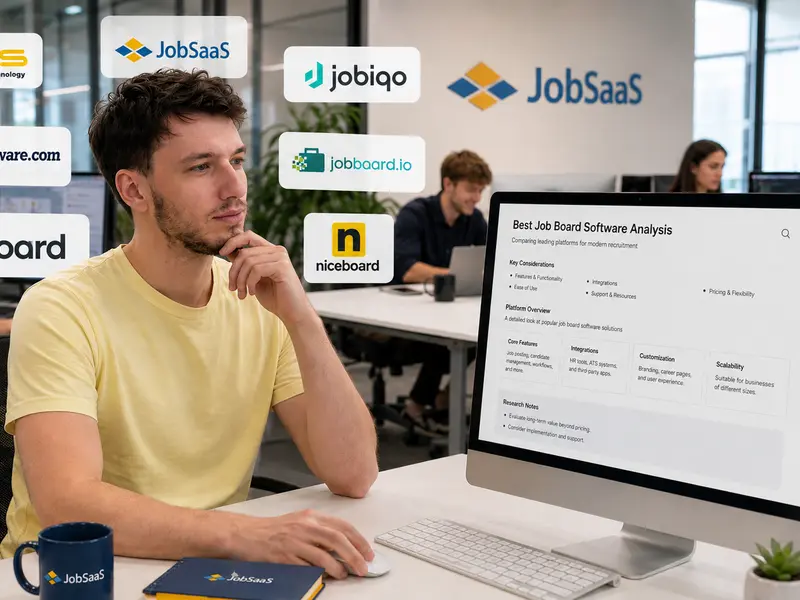
If you want the short version before the detail, here are the strongest picks by use case. The full pricing and category tables, and the method behind them, follow underneath.
| If you want to… |
Best pick |
Why |
| Own an SEO-ready job board without a dev project |
JobSaaS |
Hosted builder with structured data and SEO landing pages built in |
| Build a detailed job board yourself |
Niceboard |
No-code builder for richer, self-managed boards |
| Manage candidates and pipelines (ATS) |
Manatal |
Low per-user price, multi-board posting, AI scoring |
| Start on the tightest budget |
Recruiteze |
Low flat monthly plan with a free trial |
| Turn a community or network into a board |
Getro |
Built specifically for network-based hiring |
Disclosure: this article is published by JobSaaS. We include competitors and product categories so agencies can compare options fairly, and we say plainly below where JobSaaS is not the right choice.
That use-case split matters because most comparison articles quietly mislead on one point: tools marketed as "job board software" fall into three quite different product types, and a shortlist that mixes them without saying so makes the choice harder, not easier. So before the pricing detail, it is worth being clear about what "best" means for a recruitment business, how we compared, and which products actually belong in which group.
What "best" actually means for a staffing agency
For a recruitment or staffing agency, the best job board software is rarely the one with the longest feature list. It is the one that turns vacancies into pages Google can crawl, candidates can find, and your team can publish without waiting on a developer. Every other feature is secondary to that.
The reason is simple. Most agencies already spend heavily on paid job advertising, and every euro of that budget builds someone else's audience. A job board you control does the opposite: it builds an asset that keeps attracting organic candidate traffic long after a campaign ends. So the real question is not "which software has the most buttons", but "which software helps us own our candidate acquisition".
How we compared the software
This comparison combines two layers. First, it ranks the broad categories of job board software, because the category you choose decides most of the outcome before any individual product does. Second, it places named products into those categories so you can see where popular tools actually fit. We weighed each option against five criteria that matter to a recruitment business:
- Total cost of ownership, not the sticker price: hosting, maintenance, security and the cost of every future change included.
- Product type, meaning whether the tool is genuinely a job board builder, an applicant tracking system or a talent marketplace.
- SEO and structured data foundation, because that is what drives organic candidate traffic.
- Maintenance burden, or how much of the upkeep lands on your team versus the provider.
- Control, over your data, brand and the candidate journey.
Two points on method, because they affect how you should read everything below. The pricing figures are indicative starting prices taken from each vendor's published pricing and a third-party software comparison; they use different units and currencies, which the table makes explicit. Self-serve prices change and several providers quote only on request, so treat every number as a starting point to verify on the provider's own site. On performance, we deliberately do not publish our own star ratings or benchmark scores, because we cannot independently verify them and they go stale quickly. Instead, validate any shortlisted product against verified user reviews on platforms such as G2, Capterra, TrustRadius and Software Advice, where buyers flag support and reliability issues that a product page will not mention.
Best job board software shortlist, grouped by what it really is
A common shortlist of "best job board software" mixes three product types. Knowing which is which saves you from buying an applicant tracking system when you wanted a public job board, or a talent marketplace when you wanted to own your traffic.
Job board builders and career-site platforms
These are the tools closest to the literal meaning of job board software: they build a vacancy site or career centre you control.
- JobSaaS, a hosted job board builder for staffing and recruitment agencies, with the technical SEO foundation built in.
- Niceboard, aimed at building detailed job boards without coding expertise.
- JobBoard.io, positioned around launching a job board quickly.
- Madgex (now part of Wiley), an enterprise career-centre platform with managed guidance.
- Getro, built to turn a community or investor network into a job board.
Recruitment software and applicant tracking systems
These manage candidates and pipelines, and publish jobs as a feature rather than as their core purpose. Useful, but a different job from owning an SEO-driven vacancy site.
- Manatal, an ATS known for multi-board posting and AI candidate scoring.
- JobAdder, recruitment software with strong in-app training and support.
- Tribepad, enterprise recruitment software with a focus on fair and ethical hiring.
- Recruiteze, a lightweight ATS with online applicant tracking and resume management.
Talent marketplaces
Here you post into someone else's network rather than building your own asset, which is the opposite of the control most agencies are chasing.
- Braintrust, an AI-driven talent network with a zero percent talent fee model.
- Cutshort, a marketplace focused on tech talent, with strong coverage in India.
Job board software pricing comparison
Pricing models matter as much as the headline number, because they predict your real cost over time. Note the units carefully: some tools charge per user, others a flat monthly plan, and several enterprise tools quote only on request. The figures below are indicative starting prices and should be confirmed with each vendor.
| Tool |
What it really is |
Trial |
Starting price (indicative) |
Pricing model |
Pricing source |
| JobSaaS |
Job board builder |
Demo available |
€1,999 setup, then €49/month |
One-off setup plus flat monthly plan |
Vendor |
| Manatal |
ATS with multi-board posting |
14-day free trial |
From $15/user/month |
Per user/month, billed annually |
Vendor pricing page |
| Niceboard |
Job board builder |
7-day free trial |
From $319/month (billed annually); $399/month monthly |
Flat monthly plan |
Vendor pricing page |
| Tribepad |
Enterprise recruitment software |
Free demo |
From £579/month + £2,000 setup cost |
Flat monthly plan plus one-off setup |
Vendor pricing page |
| JobAdder |
Recruitment software (ATS/CRM) |
Free demo |
Pricing on request |
Quote-based |
Vendor |
| Madgex (Wiley) |
Enterprise career-centre platform |
Not available |
Pricing on request |
Quote-based |
Vendor |
| JobBoard.io |
Job board builder |
14-day free trial |
From $449/month (Basic, 1 team member) |
Flat monthly plan |
Vendor pricing page |
| Getro |
Network job board |
Free demo |
From $210/month (Manage) |
Flat monthly plan |
Vendor pricing page |
| Braintrust |
Talent marketplace |
Free demo |
Pricing on request |
Fee on hire (zero talent fee model) |
Vendor |
| Cutshort |
Talent marketplace |
Not available |
From approx. ₹10,000/month |
Flat monthly plan, no seat limits |
Vendor pricing page |
| Recruiteze |
Lightweight ATS |
15-day free trial plus demo |
From $49/month (Startup, billed annually) |
Flat monthly plan |
Vendor pricing page |
Pricing checked: 17 June 2026. Figures are indicative starting prices compiled from vendor pricing pages and a third-party comparison; units and currencies are shown as published. Verify current pricing on each provider's own site, since published prices change and several vendors quote only on request.
The five categories of job board software
Named products aside, almost all job board software belongs to one of five categories, and each strikes a different balance between price, quality and functionality. This table is the decision layer: choose a category that fits your resources, then shortlist tools within it.
| Software type |
Typical cost model |
Time to launch |
SEO and structured data |
Maintenance burden |
Control |
Best for |
| WordPress plugin or theme |
Low one-off, plus hosting and plugins |
Fast to medium |
Depends on add-ons and setup |
Medium to high (on you) |
High |
Small agencies with someone who owns SEO and upkeep |
| Open-source, self-hosted |
No licence, high engineering cost |
Slow |
Strong if you build it; nothing by default |
High (on you) |
Full |
Teams with in-house developers and a long-term plan |
| Hosted SaaS builder |
Predictable monthly subscription |
Fast |
Built in with the better platforms |
Low (on provider) |
Medium to high |
Agencies wanting organic traffic without a dev backlog |
| Multi-vendor or marketplace |
Licence or subscription |
Medium |
Varies by product |
Medium to high |
High |
Owners monetising listings from many employers |
| Custom build |
High upfront and ongoing |
Slow |
Whatever you commission |
High (on you) |
Full |
Genuinely unusual requirements with budget to match |
How to compare job board software on price
Price is the easiest factor to misjudge, because the sticker price is rarely the real cost. As the pricing table shows, a per-user figure scales with team size while a flat plan does not, a one-off setup cost can add thousands before you publish a single vacancy, and "pricing on request" usually signals an enterprise commitment. Compare across three common models.
- One-time licence plus hosting and development. Low upfront, but you carry the cost of hosting, maintenance and every future change.
- Monthly SaaS subscription. Predictable and inclusive of hosting, updates and support, which makes budgeting straightforward for a marketing manager who does not want surprise invoices.
- Free and open-source. The software is free; the developer time, security patching and SEO work are not. "Free" is the most expensive option when nobody owns the upkeep.
A useful test: ask what happens to the bill the day a vacancy template needs changing, or the site needs to support a second language. That answer tells you the real price.
How to compare job board software on quality
Quality, in this context, is whatever keeps your job board fast, secure and visible without your team firefighting. When you shortlist software, weigh the factors candidates and search engines actually notice.
- Page speed and uptime, because a slow or unavailable vacancy page loses candidates and rankings.
- Security and updates, handled by the provider rather than left to you.
- Support, measured by who you can reach when something breaks during a hiring peak.
- A solid SEO foundation, meaning clean, crawlable URLs and templates that do not fight Google.
Google Search Central's documented best practices for job postings make this concrete: each vacancy needs its own crawlable page with a clear, descriptive title and valid JobPosting structured data to be eligible for the dedicated job search experience in Google Search. Software that cannot produce that out of the box is quietly limiting your organic candidate traffic, whatever its other strengths. This is exactly the kind of thing independent review sites like G2 and Capterra surface, where users flag performance and reliability issues that a product page will not.
How to compare job board software on functionality
Functionality is where the categories separate. The features below decide whether your job board attracts candidates on its own or simply stores vacancies. Use this as a checklist when you compare options.
- Indexable vacancy pages, each with its own URL rather than content loaded by JavaScript that search engines may never see.
- Automatic JobPosting structured data and Google for Jobs eligibility.
- SEO landing pages for role and location combinations, so a search for a warehouse role in a specific city has a page to match.
- Internal linking between related vacancies, roles and locations.
- Multilingual support for agencies operating across regions.
- Fast filtering and search that keep candidates on the site.
- A clean application flow built for conversion.
- Analytics and, where you need it, a path towards ATS integration.
This is where a hosted platform like JobSaaS tends to earn its place: the technical SEO groundwork, structured data and role or location landing pages come built in, so a marketing team can launch and scale a vacancy site without a custom development project behind it.
A vacancy that lives only inside a database is invisible. A vacancy with its own indexable page is a candidate source that keeps working while you sleep.
When not to choose JobSaaS
No tool fits every agency, and JobSaaS is no exception. It is the wrong choice in several clear situations, and naming them is more useful than pretending otherwise.
- You primarily need an ATS, not a public job board. If candidate-pipeline management, scoring and CRM features are the priority, a dedicated ATS such as Manatal or JobAdder is a better starting point.
- You have an in-house development team that wants full control, in which case an open-source or custom build may suit you better, accepting the ongoing engineering cost.
- You only need to post into an existing network, where a talent marketplace or a network tool like Getro does the job without building your own site.
- Your requirements are genuinely unusual, beyond what any hosted builder supports, which points towards a bespoke build.
Will job board software help you show up in AI search?
It can, but not through a separate trick. According to Google's own guidance, there are no extra requirements or special optimisations for appearing in AI Overviews and AI Mode: the same crawlable, well-structured content that earns ordinary organic visibility is what these features draw on. The work that makes a vacancy rank in Search is the same work that makes it eligible to be summarised or cited by an AI answer.
For a job board, that points back to fundamentals rather than novelty. Clear page titles, a logical structure, valid JobPosting structured data and sensible internal linking give both search engines and AI answer engines content they can read, understand and reference. Software that produces messy, JavaScript-dependent pages with no structured data gives them very little to work with, which is why generic "AI-optimised" claims mean little unless the underlying pages are sound. The dependable signal is not a marketing label; it is whether the software outputs the kind of clean, structured pages the documentation describes.
Which job board software is best for whom
There is no universal winner, so match the category and product type to your situation rather than chasing the highest-rated tool.
- Small agency, tight budget, simple needs: a WordPress plugin or a lower-cost builder can be enough to start, as long as someone owns the SEO and maintenance.
- You want pipeline management more than public traffic: an ATS such as Manatal, JobAdder or Recruiteze fits, accepting that job publishing is a feature, not the focus.
- In-house technical team wanting total control: open-source or custom, accepting the ongoing engineering cost.
- Agency that wants organic candidate traffic and speed without a dev backlog: a hosted SaaS job board builder is usually the strongest fit.
For most staffing and recruitment agencies, the decisive question is search visibility. If you want a search for warehouse jobs in Utrecht or a machine operator in Eindhoven to surface your page rather than a competitor's, the software has to generate indexable, well-linked pages by default, not as an afterthought.
Frequently asked questions
How much does job board software cost?
It ranges widely. Lightweight ATS tools start from around $15 to $49 per month, dedicated builders sit higher at roughly $210 to $449 per month, and enterprise career-centre platforms and recruitment software are typically priced on request. Some tools also charge a one-off setup fee on top of the subscription, and talent marketplaces may charge a fee per hire. Because published figures change and many vendors quote on request, confirm current pricing directly with each provider before you decide.
What is the best job board software for a small recruitment agency?
For a small agency, the best job board software is the one that produces indexable, SEO-ready vacancy pages without needing a developer on hand. That usually points to a hosted SaaS builder, because hosting, updates and structured data are included rather than billed separately every time something changes.
How should I compare job board software before buying?
Choose a category based on your budget, technical resources and how fast you need to launch, then shortlist products within it. Validate each shortlisted product against verified reviews on platforms like G2 or Capterra rather than vendor marketing, and ask for a trial so you can check that vacancy pages are crawlable and carry structured data.
Is free job board software good enough?
Free and open-source software can work well, but only if you have the technical resources to host, secure, update and optimise it. For agencies without an in-house developer, the time cost often outweighs the saved licence fee, which is why "free" rarely stays free in practice.
Choosing the best job board software for your agency
The best job board software is not a single product; it is the one that matches your priorities on price, quality and functionality, and that turns your vacancies into pages candidates and search engines can actually find. Start by separating job board builders from applicant tracking systems and talent marketplaces, weigh the total cost of ownership rather than the headline price, validate products against independent reviews, and treat indexable pages, structured data and internal linking as non-negotiable rather than nice to have.
For staffing agencies that want more control over candidate acquisition, JobSaaS offers a practical way to build and run a job board that supports SEO, AI visibility and conversion, without starting from a blank page or carrying a development project on the side.