What is an applicant tracking system?
An applicant tracking system is recruitment software that stores every candidate and application in one central database and tracks their progress through defined hiring stages. Instead of managing applicants across spreadsheets, inboxes and sticky notes, an ATS gives a recruiter one place to see who applied, where each person is in the process, and what happens next.
The core idea is simple. Every vacancy has a pipeline, and every candidate sits somewhere in that pipeline: new, screened, interviewed, submitted to a client, placed or rejected. The ATS keeps that history, so nothing gets lost when a colleague is on holiday or when three consultants are working the same role.
Why staffing agencies rely on an ATS
For a staffing agency, an ATS is not a nice-to-have, it is the operational backbone. Agencies deal with volume, speed and multiple clients at once, and a good system keeps all of that under control.
Picture a temp agency placing warehouse and logistics staff across several sites. One consultant might handle hundreds of active candidates and a dozen live vacancies in a single week. Without a shared database, two recruiters could call the same candidate for two different roles, or a strong applicant could go cold simply because nobody followed up. An ATS prevents that by making the pipeline visible to the whole team.
There is also a compliance angle. In the UK and across Europe, agencies must handle candidate data lawfully under the GDPR, including consent, retention limits and the right to erasure. A proper ATS logs where data came from and when it should be removed, which is far safer than storing CVs in personal inboxes.
What an ATS actually does: core features
Most applicant tracking systems share a common set of features, even if the depth varies. When you compare platforms, these are the functions to look for:
- CV parsing: automatically reads a CV and fills in name, skills, experience and contact details, so recruiters spend less time on data entry.
- Central candidate database: a searchable record of every applicant, taggable by skill, location, availability and role, so you can rediscover people you already know.
- Pipeline management: customisable stages that show exactly where each candidate sits in each vacancy.
- Job posting and distribution: publish a vacancy once and push it to multiple channels, including job boards and, in some cases, your own website.
- Communication tools: email templates, automated updates and interview scheduling to keep candidates warm.
- Reporting and analytics: time to fill, source of hire and pipeline conversion, so you can see what is working.
- Compliance and GDPR handling: consent tracking, retention rules and audit trails.
- Integrations: links to your website, job boards, calendars and, increasingly, combined ATS and CRM functionality for sales and recruitment in one place.
The best ATS platforms compared: strengths and pricing
The best ATS is the one that matches how your agency actually works, not the one with the longest feature list. The market splits fairly cleanly into three groups. Below is a comparison of the platforms most often shortlisted in each, with the strength that sets each apart and an indication of pricing.
Important note on pricing: the figures below are indicative, are shown in the currency each vendor typically publishes in, and change often. Enterprise and agency platforms are usually quote-based and do not publish list prices, so those are marked accordingly. Lower-cost tools publish per-user or per-slot rates that are often cheaper on annual billing. Always confirm current pricing directly with the vendor before you decide.
For staffing and recruitment agencies
Agencies that place candidates on behalf of clients need an ATS built for high volume and a commercial workflow, usually combined with a CRM to manage the client side.
- Bullhorn. Strength: the market-leading agency ATS and CRM, with deep integrations, strong automation and the scale to support high-volume and enterprise staffing. Pricing: quote-based and not publicly listed, positioned at the premium end of the market.
- Vincere. Strength: a modern agency platform combining front, mid and back office with strong analytics, popular with permanent and contract agencies. Pricing: quote-based, not publicly listed.
- JobAdder. Strength: clean, easy to use and strong on job posting and distribution, which suits small and mid-sized agencies that want fast adoption. Pricing: quote-based, positioned in the mid-market.
- Loxo. Strength: a talent intelligence platform that folds sourcing, ATS and CRM together with AI candidate recommendations. Pricing: offers a free tier, with paid plans charged per user per month; the paid tiers are quote-based rather than a fixed public list price.
For corporate and in-house recruitment teams
Companies hiring for themselves tend to prioritise a smooth candidate experience, structured interviews and employer branding.
- Greenhouse. Strength: structured hiring, interview scorecards and reporting that bring rigour to fast-growing teams. Pricing: quote-based, typically scaled by company headcount, mid-market to enterprise.
- Lever. Strength: combines an ATS with a lightweight CRM to nurture candidates over time, with a well-regarded interface. Pricing: quote-based, not publicly listed.
- SmartRecruiters. Strength: an enterprise talent acquisition suite with a large marketplace of integrations. Pricing: quote-based, enterprise-oriented.
- Teamtailor. Strength: employer branding and career sites, ideal for companies that want a polished, branded careers page. Pricing: quote-based, typically scaled to headcount.
For small teams and lower budgets
Smaller agencies and startups often want something quick to set up and affordable, without a heavy implementation project. These tools publish their pricing, so the indicative figures below are more concrete:
- Zoho Recruit. Strength: affordable and flexible for both agencies and corporate teams, with tight links to the wider Zoho suite. Pricing: a free plan for a single recruiter, with paid tiers starting around 25 USD per user per month and rising to roughly 50 to 75 USD per user per month on higher tiers (cheaper on annual billing).
- Manatal. Strength: among the most affordable, with AI candidate recommendations and a simple interface. Pricing: paid plans starting around 15 USD per user per month, with a higher tier around 35 USD per user per month and a custom enterprise tier above that.
- Recruitee. Strength: collaborative hiring and an easy careers-site builder, popular with growing SMEs. Pricing: published monthly plans billed on the number of active job slots, with entry plans commonly starting in the region of a few hundred euros per month.
- Workable. Strength: very fast setup, a wide job board network and built-in sourcing. Pricing: a pay-as-you-go option from roughly 189 USD per active job per month, plus per-employee subscription tiers for teams hiring at higher volume.
The best ATS is rarely the most expensive one. It is the one your recruiters will actually use every day without fighting it.
How to judge an ATS for your agency
Rather than starting from a shortlist, start from your own situation and ask:
- Do we place candidates for clients, or hire for ourselves? This alone rules out half the market.
- How many vacancies and candidates do we handle at once, and does the pricing scale sensibly with that?
- Does it integrate with our website, job boards and calendar, or will data live in silos?
- Is it genuinely easy to use, so recruiters adopt it instead of quietly returning to spreadsheets?
- Does it support GDPR compliance out of the box?
The one thing an ATS will not do for you
An applicant tracking system manages the candidates you already have. It does very little to bring new ones in. That distinction catches out a lot of agencies who expect an ATS to fix a thin pipeline and then wonder why applications have not increased.
There is a technical reason too. The job pages generated inside many ATS platforms are not built to rank in search. Google's documented best practices for organic visibility stress that a page must be crawlable and have a clear, descriptive title to be eligible to appear in results. A vacancy that only exists as a record inside your ATS, or on a career page that search engines struggle to read, is effectively invisible to a jobseeker typing warehouse jobs in Manchester or care assistant jobs in Leeds into Google.
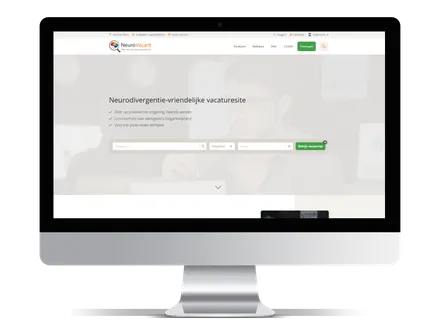
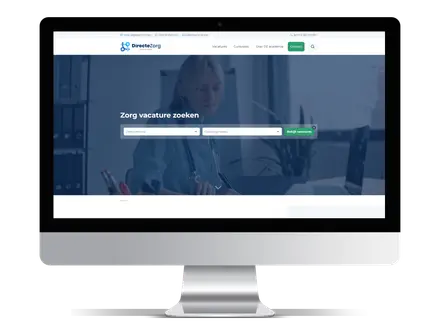
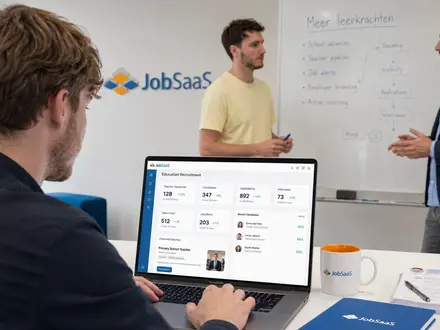
This is the gap between an ATS and findability. An ATS handles the pipeline once someone applies. A properly built vacancy website handles the part before that: being discovered in Google and in AI search tools like ChatGPT and Google AI Overviews. This is where a platform like JobSaaS complements an ATS rather than replacing it, giving each vacancy its own indexable page, SEO landing pages and internal links between roles, so applications flow into whatever ATS you choose.
The practical takeaway is to treat the two as a pair. Your ATS is the engine room. Your vacancy website is the shopfront. Investing in one while neglecting the other leaves value on the table, and often means paying job boards like Indeed and LinkedIn to send you the traffic your own site should be earning. If you want to reduce your dependence on paid job boards, findability is where that work begins.
Frequently asked questions
What is the difference between an ATS and a recruitment CRM?
An ATS focuses on candidates and the hiring pipeline, while a recruitment CRM focuses on clients and business development. Staffing agencies often need both, which is why several agency platforms such as Bullhorn and Vincere combine an ATS and CRM in one system.
What is the cheapest ATS for a small agency?
Budget-friendly options such as Manatal and Zoho Recruit publish low per-user pricing, starting in the region of 15 to 25 USD per user per month, and both offer a free plan or trial. They give small teams the core essentials without a large implementation cost. Always check current pricing, as vendor plans change regularly.
Is a job board the same as an ATS?
No. A job board is where vacancies are found by candidates. An ATS is where those candidates are managed once they apply. They solve different problems, and the strongest recruitment setups connect the two so applications move smoothly from your website into your pipeline.
Does an ATS help you rank in Google?
Usually not on its own. The job pages inside many ATS platforms are not optimised for search, so agencies that want organic candidate traffic normally pair their ATS with a dedicated, SEO-friendly vacancy website.
Conclusion: choose the right ATS, then make it findable
An applicant tracking system is essential recruitment software for organising candidates, managing your pipeline and staying compliant. The best ATS is not a fixed answer, it is the platform that fits how your agency works: an agency-focused system like Bullhorn, Vincere or JobAdder, a corporate tool like Greenhouse or Teamtailor, or a lighter, published-price option like Zoho Recruit, Manatal, Recruitee or Workable. Start from your own workflow, budget and volume, and judge the shortlist against that.
Just remember that an ATS manages demand, it does not create it. For staffing agencies that want more control over candidate acquisition, JobSaaS offers a practical way to build a fast, findable vacancy website that supports SEO and AI visibility and feeds applications straight into the ATS you already trust, so you attract more candidates instead of only tracking the ones you have.
Sources
Platform strengths and pricing models in this article are drawn from the vendors' own product and pricing pages, together with independent software review sites including G2, Capterra and TrustRadius. The point on crawlability and descriptive titles reflects published guidance from Google Search Central. Pricing figures are indicative, may be shown in the vendor's published currency, and are subject to change, so confirm current rates directly with each vendor before making a decision.